![2 Relief Buddy Logo Final, RB and Text, Horizontal-1.png]](https://knowledgebase.reliefbuddy.com/hs-fs/hubfs/2%20%20Relief%20Buddy%20Logo%20Final%2c%20RB%20and%20Text%2c%20Horizontal-1.png?height=40&name=2%20%20Relief%20Buddy%20Logo%20Final%2c%20RB%20and%20Text%2c%20Horizontal-1.png)
🔍 Searching for Locations (Owner Users)
If you manage multiple locations on Relief Buddy, finding the right one quickly is important—especially when posting shifts or reviewing activity.
We’ve added a Location Search feature to make this faster and easier.
✅ What is Location Search?
Location Search allows you to quickly find a specific location by typing its name—no more scrolling through long lists.
As you type, the system will automatically filter the list in real time to show matching locations.
🧭 Where to find it
You’ll see the search bar when:
- Selecting a location before posting a shift
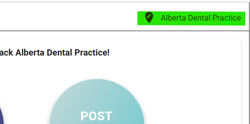
- Switching between locations in your dashboard
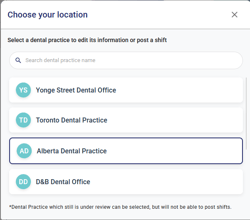
- Accessing location-specific views in the portal
⚙️ How it works
- Click on the location selector
- Start typing the location name
- The list will instantly update to show matching results
- Click on the correct location to continue
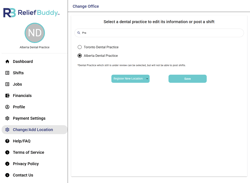
That’s it—no need to hit “enter” or apply filters.
💡 Helpful tips
- You only need 1–2 letters to start narrowing results
- Search is not case-sensitive (e.g., “main” = “Main”)
- Locations are displayed in alphabetical order for easier browsing
- Your currently selected location will always remain visible, even if it doesn’t match your search
🚀 Why this matters
If you manage multiple locations, this feature helps you:
- Save time when posting shifts
- Avoid selecting the wrong location
- Navigate your account more efficiently