![2 Relief Buddy Logo Final, RB and Text, Horizontal-1.png]](https://knowledgebase.reliefbuddy.com/hs-fs/hubfs/2%20%20Relief%20Buddy%20Logo%20Final%2c%20RB%20and%20Text%2c%20Horizontal-1.png?height=40&name=2%20%20Relief%20Buddy%20Logo%20Final%2c%20RB%20and%20Text%2c%20Horizontal-1.png)
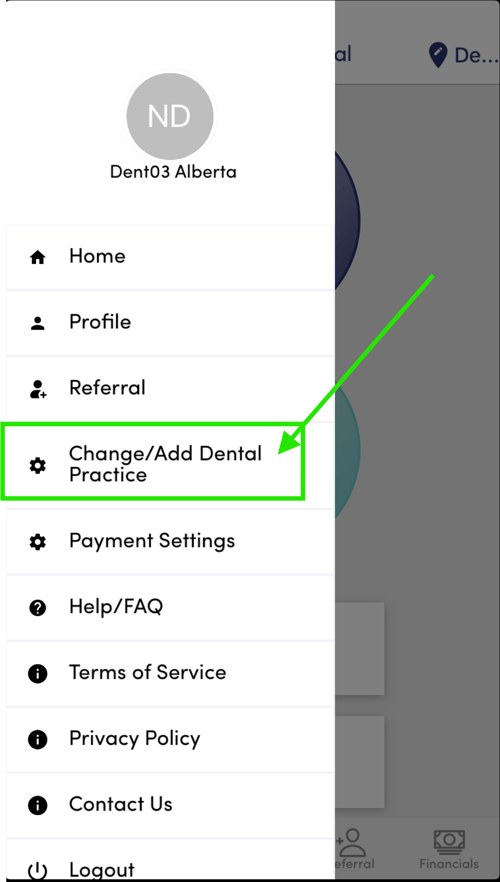
From the Main Menu press the "Change/Add..." menu option and follow the 3 simple steps.
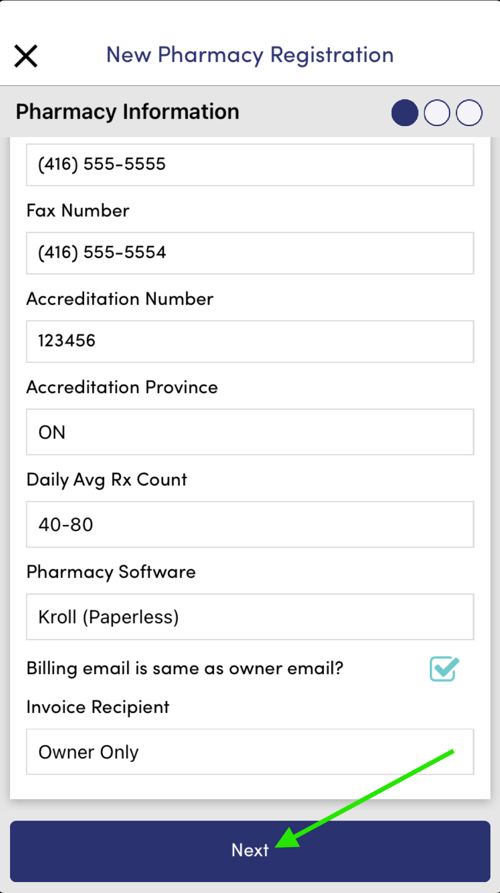
You'll be asked to provide basic details about your location, including any required accreditation numbers, volumes, and software used.
Note: When posting a shift, you can choose whether software proficiency is a requirement for applicants.
|
From the home page select the main menu by pressing on the round icon on top left side of page and then select "Change/Add...." |
 |
|
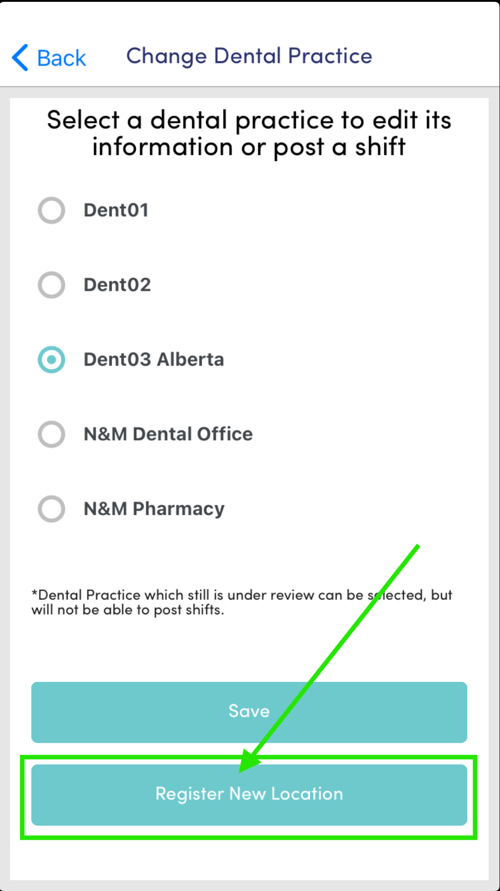
Scroll to the bottom and select "Register New Location" |
 |
|
Enter the location name and other relevant contact details (e.g., phone number, email address). |
 |
|
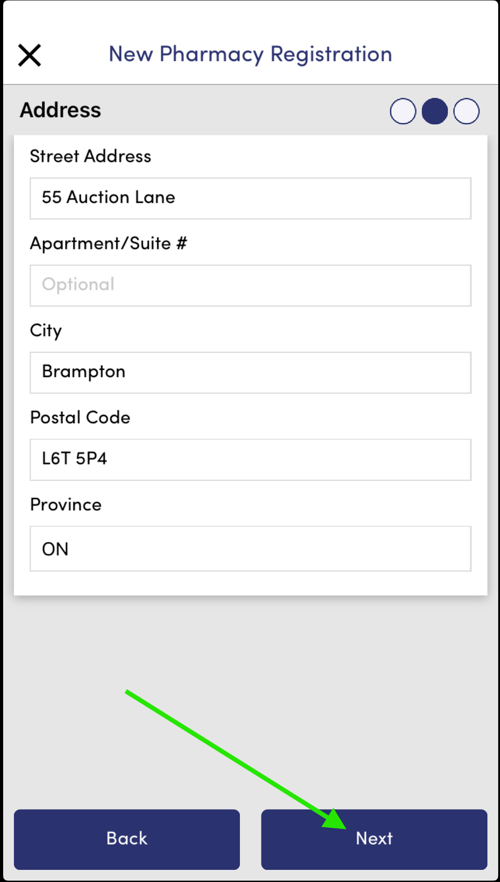
Provide the full address. |
 |
|
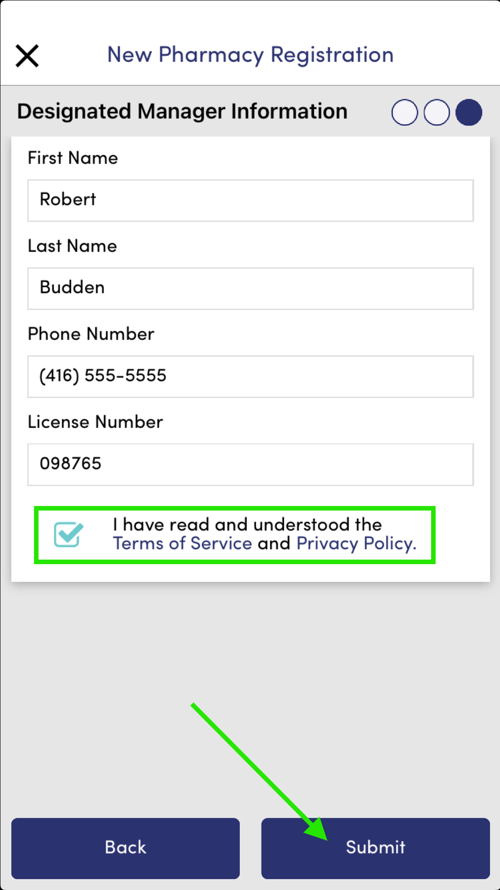
Enter the Designated Manager's information, including their name, contact details, and role. For pharmacy locations, you will also need to provide the Designated Manager's Pharmacist License number. |
 |
|
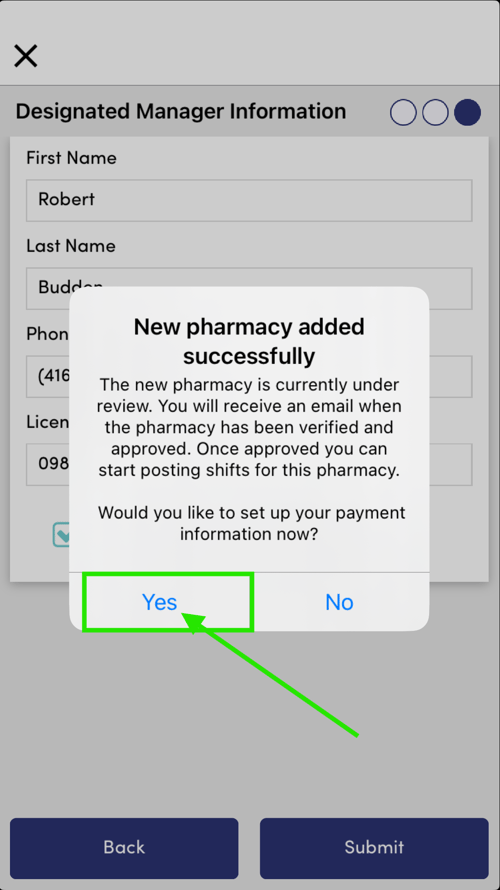
Now select "Yes" to setup your payment options. Follow this link to learn: How to Setup Payment |
 |
|
That's it - You're all set and our team will review your new location and get it approved. Providing correct and accurate information will ensure a timely approval |
|